| [{"name" |
-
•
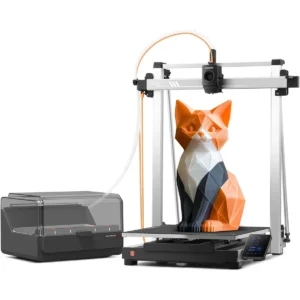
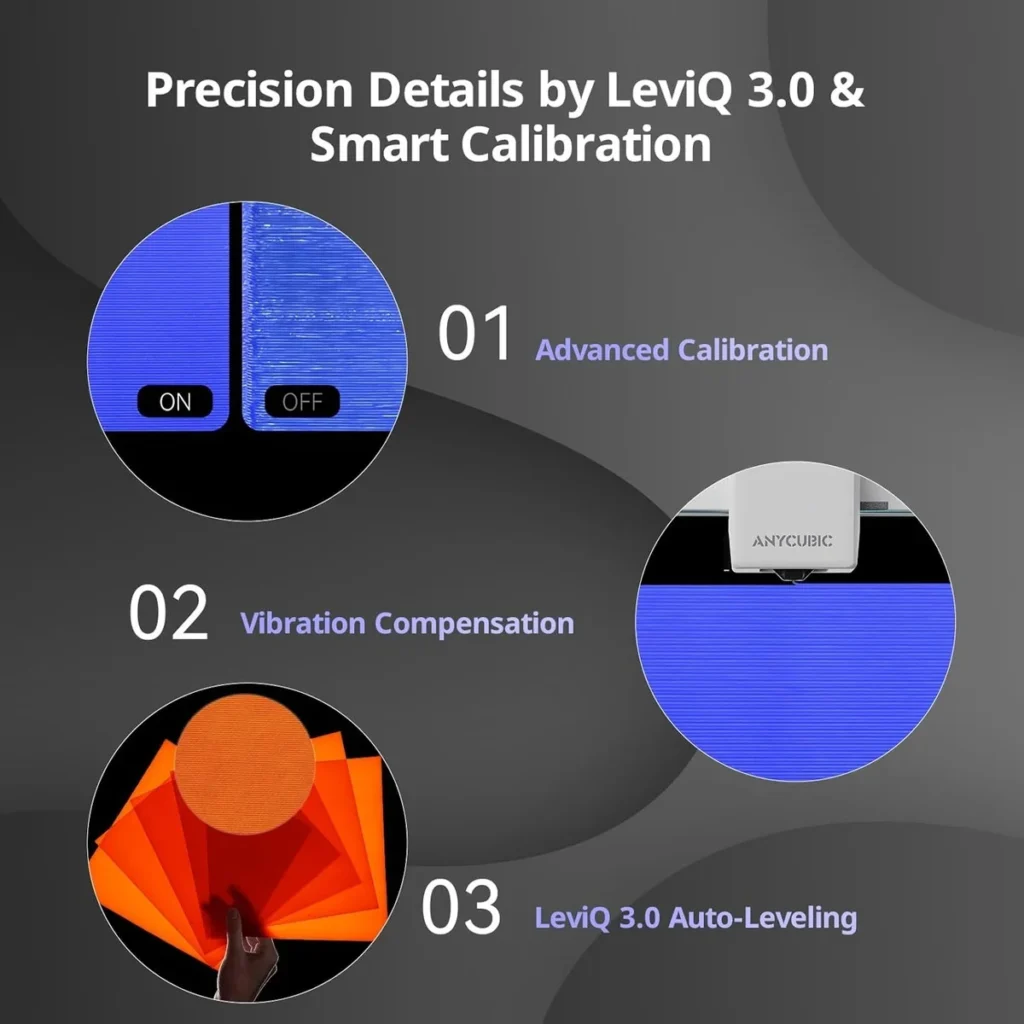
"1. Preparing the file (Slicing)","values":["You use a computer initially to prepare your 3D model using software like the Anycubic Slicer. In the software, you paint or assign your 4 different colors to the model. The software cuts the model into layers and creates a instruction file called G-code."]},{"name":"2. Sending the File to the Printer","values":["You transfer this G-code file to the Kobra X. You can do this in three ways:"]},{"name":"Wi-Fi / Cloud","values":["Send it straight from the computer software over your home Wi-Fi."]},{"name":"Mobile App","values":["Send it using the Anycubic App on your phone."]},{"name":"USB Flash Drive","values":["Save the file to a USB thumb drive and plug it directly into the front of the printer."]},{"name":"3. Loading the Spools","values":["You hang your four color spools on the top-mounted holders and feed the tip of each filament into the corresponding numbered slot of the ACE Gen 2 system. The printer automatically grabs the filament and preps it."]},{"name":"4. Starting the Print","values":["Using the printer’s built-in color touchscreen, you select your file and press Print."]},{"name":"Print Technology","values":["FDM (Fused Deposition Modeling)"]},{"name":"Build Volume","values":["260 × 260 × 260 mm³"]},{"name":"Print Speed","values":["Recommended 300 mm/s (Maximum 600 mm/s)"]},{"name":"Acceleration","values":["Recommended 10,000 mm/s² (Maximum 20,000 mm/s²)"]},{"name":"Extruder","values":["Direct Drive (Short-distance extrusion with integrated ACE Gen 2 multicolor system)"]},{"name":"Filament Compatibility","values":["PLA, PETG, TPU, PVA, PLA-CF, PETG-CF, ASA (Native 4-color printing via top-mounted holders; expandable up to 19 colors). Does not include full spools of filament in package."]},{"name":"Nozzle Temperature","values":["Max 300°C"]},{"name":"Heated Bed Temperature","values":["Max 100°C"]},{"name":"Leveling","values":["LeviQ 3.0 Auto-Leveling (49-point auto-leveling with automatic Z-offset compensation)"]},{"name":"Printing Accuracy","values":["Repeat precision < 0.02 mm (Features flow dynamic calibration and vibration compensation)"]},{"name":"Layer Height","values":["50–350 μm (0.05–0.35 mm)"]},{"name":"Nozzle Diameter","values":["0.4 mm standard (Hardened steel, quick-release; expandable to 0.25 / 0.6 / 0.8 mm)"]},{"name":"Display","values":["3.5-inch capacitive touch screen"]},{"name":"Connectivity","values":["Wi-Fi (Dual-band 2.4/5 GHz), LAN, Anycubic App, Anycubic Cloud, USB"]},{"name":"â Vivid 19-Color & Flexible Materials","values":["Push creativity limits. The Kobra X supports 4-color as standard and go up to 19 colors with 4 ACE 2 Pro (not included). Adaptive extrusion force compensator handles everything from TPU (recommended 68D) to PLA. No more manual tweaks—switch hard to soft materials for pro-grade multi-material projects."]},{"name":"600mm/s Rapid Printing Power","values":["Don't let slow speeds block ideas. This high-speed FDM 3D printer reaches 600mm/s, completing tasks much faster than traditional ones. For class models or home decor, the efficient Kobra OS and vibration compensation keep every detail crisp and pro-level."]},{"name":"True Plug & Play Experience","values":["Start your first project in just 15 minutes. The Kobra X offers an easy setup and and LeviQ 3.0 auto bed leveling. By removing tedious manual adjustments, it ensures a perfect first layer and smooth results even for complete beginners to 3D printing."]},{"name":"LeviQ 3.0 Perfect First Layer","values":["Forget the frustration of manual bed leveling that plagues beginner machines. The LeviQ 3.0 utilizes 49-point full-auto leveling and vibration compensation for a perfect first layer every time. Whether hobbyist or pro, get smooth, high-precision surfaces right out of the box with zero guesswork."]},{"name":"Quiet & Reliable for Home","values":["≤48 dB operation keeps living or learning spaces peaceful. With power loss recovery and filament run-out sensors, the Kobra X protects the hard work from unexpected interruptions, making it a dependable partner for long-running creative projects."]},{"name":"Remote Monitoring","values":["You can check the live video feed of your print in real-time through a smartphone app or computer software to ensure everything is running smoothly without having to physically stand by the machine."]},{"name":"AI Failure Detection","values":["The software uses the camera feed to look for common printing errors—such as "spaghetti" (when a print detaches and filaments bunch up) or a dislodged model—and can automatically pause the print to save filament."]},{"name":"Time-Lapse Creation","values":["The camera can automatically capture a snapshot at the end of every layer, creating a smooth video that shows the 3D print appearing to grow out of nothing."]},{"name":"How it Starts to Work (The Workflow)","values":["1. Preparing the file (Slicing) You use a computer initially to prepare your 3D model using software like the Anycubic Slicer. In the software, you paint or assign your 4 different colors to the model. The software cuts the model into layers and creates a instruction file called G-code."]}]
|